01
Give every scene one job
A short story becomes easier to follow when each scene advances the plot, reveals a clue, or changes the character's situation. Clear beats are easier to generate and review.
Bring original stories to life
CartoonMakerAI helps writers, educators, and narrative creators turn an original story idea into a reviewable cartoon video. Set the character and setting anchors, shape the story beats, and decide what is ready to publish.
Built for
Writers and indie storytellers · Faceless narrative creators · Educators and family-content teams · Brands using story-led content
The practical difference
A practical story-to-video workflow that keeps the character, setting, pacing, and ending visible while you review the generated scenes.
What the workflow helps you do
01
A short story becomes easier to follow when each scene advances the plot, reveals a clue, or changes the character's situation. Clear beats are easier to generate and review.
02
Name the recurring character, setting, key prop, palette, and tone in the brief. These details give you a continuity checklist when scenes are assembled.
03
An entertaining opening is not enough. Write the final emotional or practical beat before generation so the story has a destination instead of stopping mid-action.
A better starting point
Use this as a planning sequence, not a rigid formula. The goal is to make the creative and editorial decisions before rendering so that the generated scenes have a clear job to perform.
See the story workflow ↓Describe what changes for the viewer or character by the end. Keep the premise original, specific, and small enough for the selected length.
Choose the recurring character, location, important prop, visual style, tone, and audience. These anchors become your continuity checklist.
Plan a beginning, middle, and ending with one clear action per scene. A reveal, decision, or location change is a useful boundary between beats.
Review the opening scenes for character design, pacing, and visual continuity before you spend credits on a longer sequence. Adjust the brief while changes are still cheap.
Editorial guardrails
Use stories, names, characters, music, and images that you created or have permission to use. A generated visual style does not grant rights to someone else's protected work.
Scene chaining can help, but it does not remove the need to inspect clothing, props, locations, expressions, narration timing, and transitions before publishing.
If your content is intended for children, plan age-appropriate language, adult account control, safe review, and the platform's own child-content obligations.
Use this as a starting brief
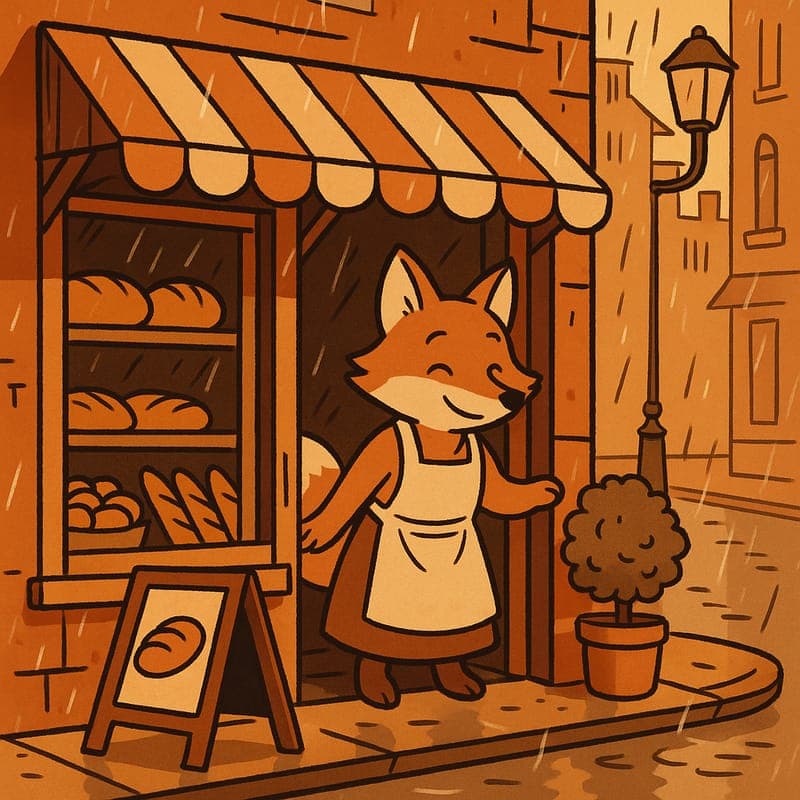
“Create a 60-second animated story in a warm Cel Classic style. A curious fox finds a lost paper boat on a rainy neighbourhood street and follows three small clues to return it to a child at the park. Use the same fox, paper boat, rainy street, and park palette throughout. Give each scene one job: discovery, clue, decision, reunion. End with a clear emotional beat. Compose for 16:9 and keep the story family-friendly.”
Adapt the audience, platform, character, story change, and visual style. The more the brief reflects your own format, the less the finished video will feel interchangeable.
Continue learning
A practical way to turn an original story idea into a reviewable cartoon video without losing the character, setting, or ending.
Read the guide →Use this scene-by-scene checklist to catch character drift, missing transitions, pacing problems, and weak endings in AI story videos.
Read the guide →Jumping straight from script to generation skips the planning step that actually prevents wasted credits. Here's a lightweight storyboard process built for AI pipelines.
Read the guide →Use these original, scene-first prompt patterns for short cartoon stories, educational narratives, and faceless creator episodes.
Read the guide →Motion is expensive and not every idea earns it. A practical guide to deciding whether a still will do the job.
Read the guide →Video is the expensive step. Boarding it as cheap stills first is the most reliable way to stop paying for scenes you'll cut.
Read the guide →Related workflows
CartoonMakerAI turns a written premise into a scene-based animated video without asking you to manage a timeline. Describe the story, choose a visual direction, and generate a sequence built for the length and format you need.
Explore workflow →Video generation is the expensive step. Deciding what each scene looks like as a cheap still first is how you avoid paying video prices to discover that scene three doesn't work.
Explore workflow →Paste a script, paragraph, or original idea and use it as a practical starting brief for a cartoon video. Choose a visual style and format, then review the scene chain instead of treating the first render as a finished edit.
Explore workflow →Frequently asked questions
Yes. Start with a concise story promise, identify the recurring character and setting, and divide the plot into scene-sized beats. Review the generated sequence before publishing.
Consistency improves when the brief repeats important character, setting, palette, and prop details. The generated chain still needs human review because visual continuity is not guaranteed in every scene.
You can make family-friendly and educational story drafts. Choose a clear learning or emotional goal, use age-appropriate language, and have an adult review the final video and any factual claims.
Commercial-use rights depend on your CartoonMakerAI plan and the rights to your script, music, images, and other inputs. Review the current plan terms and your source permissions before publishing.
The tool can help develop a prompt and scene chain, but you are responsible for originality, factual accuracy, rights, safety, and the final editorial decision.
Start with an idea worth finishing.
Give the prompt a point of view, a viewer, and a clear final beat. The rest of the workflow becomes far easier to shape.