Prompt-to-video workflow

Make a cartoon video from one original idea.

CartoonMakerAI turns a written premise into a scene-based animated video without asking you to manage a timeline. Describe the story, choose a visual direction, and generate a sequence built for the length and format you need.

Built for

YouTube creators · Story channels · Teachers and educators · Small teams making explainers

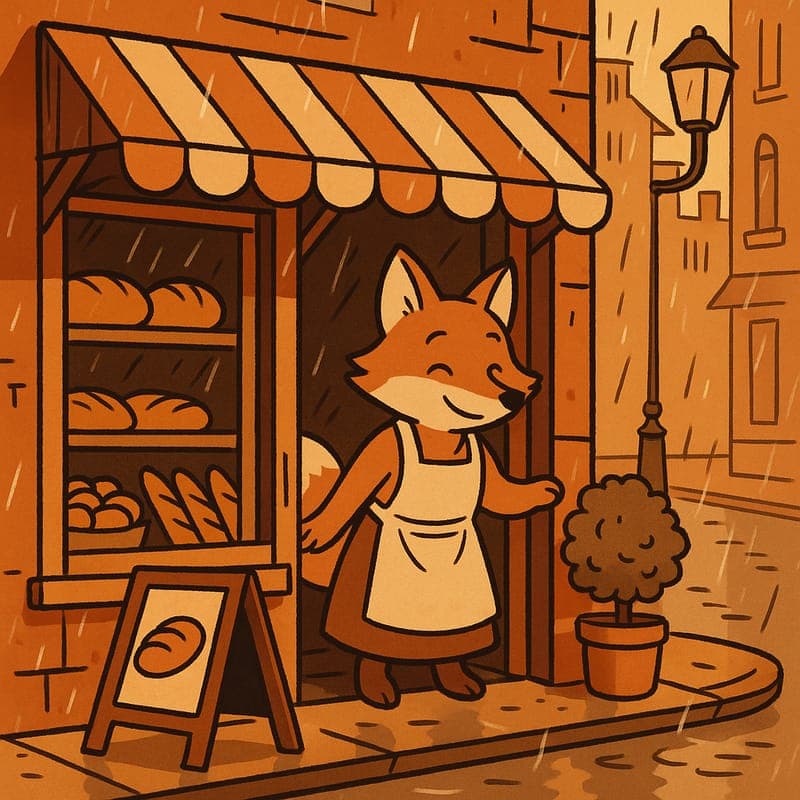
A warm cel-shaded cartoon fox standing outside a bakery

The practical difference

A practical alternative to stitching isolated clips: write the story once, then let the workflow divide it into coherent scene-sized beats.

What the workflow helps you do

Make every scene serve the larger idea.

01

Build for a complete story, not a single impressive frame

A useful cartoon video needs a beginning, a change, and an ending. CartoonMakerAI is designed around that reality. Longer prompts are split into smaller scenes so that the production process stays manageable while the viewer experiences one continuous piece of content.

02

Choose a visual language before you render

A style is more than decoration. It signals who the video is for and what emotional pace it should have. Use a classic cartoon look for broadly accessible narration, watercolor for gentle story-time, pixel art for retro game topics, or 3D toon for polished product storytelling.

03

Create assets that fit the destination platform

Start with the viewer’s screen in mind. A short vertical hook, a standard horizontal explainer, and a square social post have different framing needs. Decide the platform, aspect ratio, run time, and first on-screen moment before you generate, rather than forcing one finished video everywhere.

A better starting point

A production process you can repeat.

Use this as a planning sequence, not a rigid formula. The goal is to make the creative and editorial decisions before rendering so that the generated scenes have a clear job to perform.

See how scene chaining works
  1. 01

    Write the viewer promise

    Describe what the audience will understand, feel, or be able to do by the end. A clear promise keeps the prompt from becoming a list of unrelated visual requests and gives the story a usable centre of gravity.

  2. 02

    Add the character and setting anchors

    Name the recurring character, the visual era or style, the setting, the mood, and the key action. Repeating these anchors in important scene beats gives the finished sequence a stronger identity than a vague request for an animated video.

  3. 03

    Generate a scene chain

    The workflow breaks the idea into scene-sized units. This makes a longer output more practical to produce and gives each segment one job: establish the situation, advance the idea, introduce a turn, or resolve it.

  4. 04

    Review the story as a viewer

    Before publishing, check the first three seconds, the pacing between ideas, visual continuity, readability on a phone, and whether the ending delivers the original promise. Generation is only one stage of a publishable content workflow.

Editorial guardrails

The part AI should not decide for you.

Use a short creative brief before the prompt

The most reliable prompts come from a five-line brief: audience, video goal, main idea, repeated character or object, and finish. It makes the final input more specific without turning it into a screenplay nobody can review.

Give every scene a visual job

Avoid asking a scene to introduce a character, explain three facts, change location, and deliver a punchline at the same time. One visual purpose per beat usually makes the result easier to follow and easier to improve.

Create a repeatable format

If this is for a channel, define a recurring opening, a colour or style system, a host or mascot, and a closing pattern. A format makes the next ten ideas cheaper to plan and more recognisable to returning viewers.

Use this as a starting brief

Example prompt

Create a 60-second cel-shaded cartoon for a faceless YouTube channel. A curious fox runs a tiny neighbourhood bakery during a rainy morning. Open with the fox discovering that every loaf has disappeared, build through three visual clues, and end with a warm, funny reveal. Keep the same fox, bakery counter, and rain-soaked street visually consistent throughout. Use expressive but family-friendly animation and compose for 16:9.

Adapt the audience, platform, character, story change, and visual style. The more the brief reflects your own format, the less the finished video will feel interchangeable.

Frequently asked questions

Useful questions before you start.

Can I make a longer cartoon video instead of only a short clip?

Yes. Longer ideas are handled as a sequence of shorter scenes. The useful planning question is not simply how long the video should be, but what each scene must communicate for the story to remain clear.

Do I need animation or editing experience?

No animation timeline is required to begin. You will still get better results by defining the audience, a simple story arc, a consistent subject, and the platform format before generating.

Which cartoon style should I choose?

Choose the style that serves the content rather than the trend. Classic cartoon works well for approachable narrative content, 3D toon suits polished explainers, watercolor supports calm storytelling, and pixel art fits gaming or nostalgia themes.

How do I keep an AI cartoon video original?

Start with your own subject angle, script or outline, character logic, examples, narration, and editorial judgement. The tool helps create visuals; the distinctive point of view and final quality control remain your responsibility.

Start with an idea worth finishing.

Give the prompt a point of view, a viewer, and a clear final beat. The rest of the workflow becomes far easier to shape.